
I made a small concept album without touching Suno's create form. Claude did the work through Suno's MCP server and, where the server stopped, through a browser. Here is what worked, what didn't, and the workarounds in between.
The setup
For the last two days I worked on "Westbound", a five-song concept album with three variations about a night train from a neon city to the Atlantic coast. The music is not the point of this post. The way it was made is.
I used Claude with two connections. The first was Suno's MCP server, which gives Claude direct access to my Suno account: it can create songs, make covers (remixes), listen to results, rename tracks and manage playlists. The second was the browser pane in the Claude desktop app, a small built-in browser that Claude can operate itself: clicking, typing, reading the page. A third, smaller piece was a shell on my Mac, limited to folders I connected, which Claude used for file work like cropping cover images.
My role changed a lot during the project. I stopped filling in forms and started directing: what should the album be about, which take sounds right, what's next.
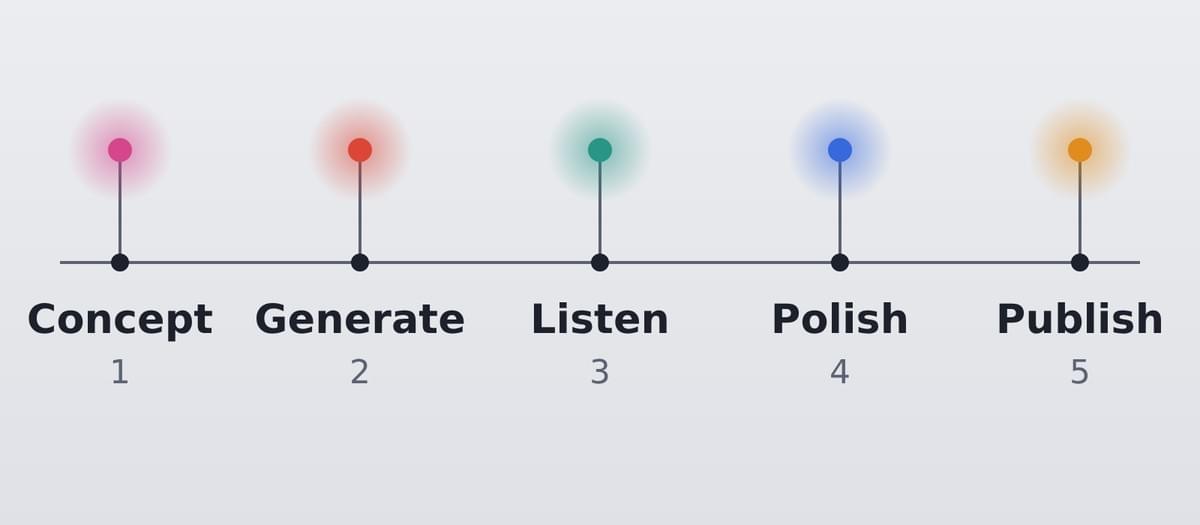
The workflow as a train line: concept, generate, listen, pick, polish, publish.
What the MCP server does well
Everything that can be expressed as structured data went smoothly. Claude wrote the concept and lyrics, then sent each song to Suno with lyrics, style tags and my own voice persona. Each request returns two takes, and Claude waited for them in batches.
The part that surprised me most was the listening tool. Suno's MCP server has an endpoint where an AI agent listens to a finished track and answers questions about it. Claude used it like a first-round jury: "Is the voice spoken, not sung? How dominant is the beat, from 1 to 10? Any piano or guitar?" The answers came back as JSON, and Claude picked the better take of each pair. With ten takes per round, that saves a lot of listening time.
Organising was also easy: renaming tracks, creating playlists, moving the five club versions from one playlist into a new one. One quirk: the API has no "reorder" command. To put a track in second place, Claude removed the following tracks and added them back in the right order. That's clumsy, but it works.
Where the creative side needed iterations
Not everything is a matter of tooling. Some lessons were about how Suno behaves:
- A cover keeps the arrangement of its source. When I asked for "the same, but with almost no beat", the remixes kept the beat at 8 out of 10. Only songs generated from scratch with a new style prompt got it down to 2.
- My voice persona tends to bring an acoustic guitar along, even when nobody asked for one.
- "Voice only, no instruments" is very hard to get. Suno almost always adds something.
- The listening agent is helpful but not infallible. The same take was once rated "beat 6" and in a later check "beat 3, no crackle". In the end my ears decided. I heard a disturbing crackle that the agent had missed.
So the loop was: Claude generates, the agent pre-listens, Claude proposes, I listen and say yes or "redo Chalk Horse". That division of labour felt right.
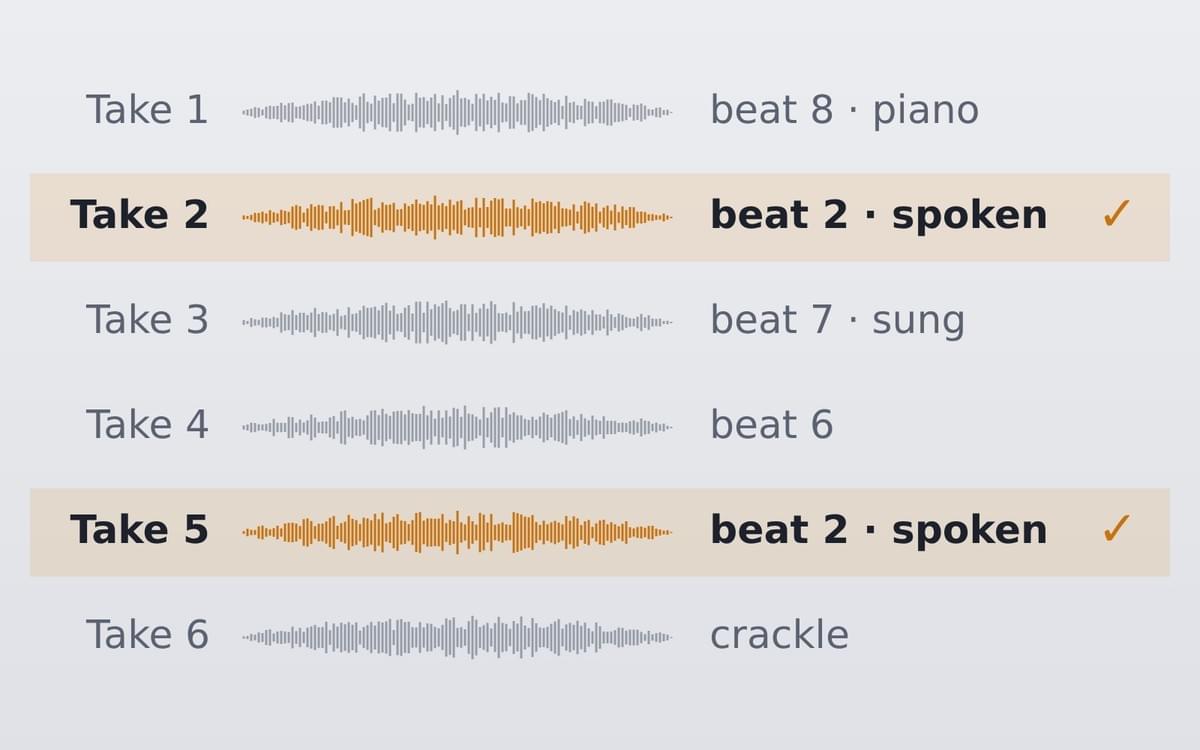
Ten takes, two picks. An AI listener pre-sorts, a human makes the call.
Where the MCP server stops
Several things I needed exist only in Suno's web interface, not in the API:
- fade-in and fade-out
- changing the speed while keeping the pitch
- uploading cover art
- publishing songs
- renaming a playlist and making it public
For these, Claude switched to the browser pane and operated suno.com directly. This is where most of the friction was.
Workarounds with the browser
Some of it was simply unusual UI. Submenus only open on hover, not on click. Screenshots sometimes showed the page one step behind what was actually there, so Claude switched to reading the page structure directly and computing click positions from it. That was more reliable than looking at pictures.
The speed slider was a nice example. I asked for 1.05x. The slider is not linear, has no input field, and jumps in steps, so 1.05 was not reachable. We took 1.06.
File uploads were the clearest limit. Claude can click "Upload", but the file picker that opens is a native macOS dialog, which the browser pane cannot control. The workaround was a small ping-pong: Claude opened the dialog, I picked the file and typed "done", and Claude continued with the next song. For fifteen covers that's a bit tedious, but it's fast enough.
Downloads were the biggest hurdle. The download itself works through the MCP server, including a confirmation before spending one of my monthly download credits. But the server returns a link to Suno's file storage, and that address was blocked both from Claude's cloud workspace and from the shell on my Mac. The browser pane doesn't save downloads either. In the end Claude put all fifteen links on a small web page, and I clicked them myself. The links expire after about an hour, but re-requesting a song I had already paid for didn't cost a second credit.
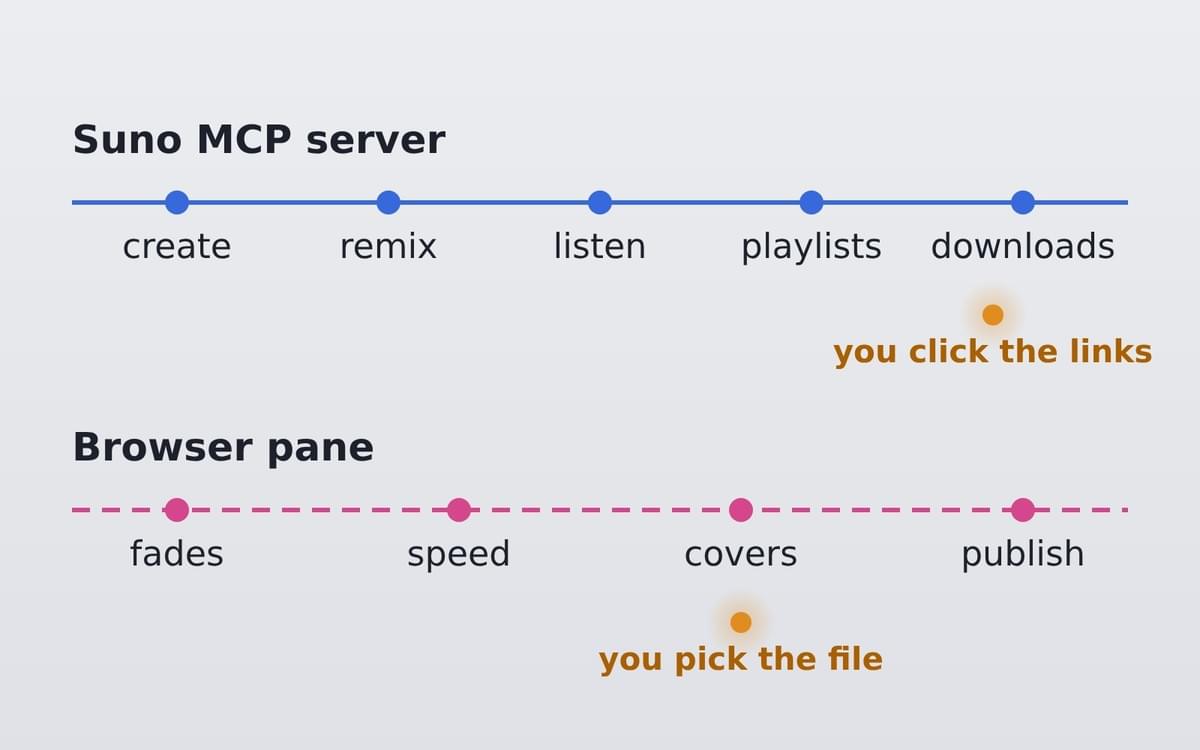
Two tracks: the MCP server for everything structured, the browser for the rest, and a human hand where neither reaches.
What I take away
The MCP server turns Suno from a form you fill in into something you can direct. Bulk work like generating, comparing, renaming and sorting is where it shines. The browser fills the gaps, but it is slower and more fragile. Every workaround above would disappear if fades, speed, cover upload, publishing and playlist settings were available in the API. I hope that's on Suno's list.
My own role became that of a producer: setting the direction, judging what I hear, deciding when it's good enough. The tools did the clicking. The taste stayed with me, and I think that's the right split.
The album itself is now on its way to the streaming services. But that's another story (Outputs see below).
FACTS AT A GLANCE
- 5 songs, 15 published versions (spoken, instrumental, night mix)
- Tools: Claude, Suno MCP server, Claude browser pane, Midjourney for the covers
- Done via the MCP server: generating, remixing, listening checks, renaming, playlists, download links
- Done via the browser: fades, speed change, cover upload, publishing, playlist name and visibility
- Done by me: concept decisions, listening, picking files, clicking download links
The Output
Westbound is one night train ride from the neon city to the Atlantic coast, in five stops: the empty platform, the suburbs passing by, an ancient white horse on a chalk hill, the tunnels through the valleys, and arrival at the sea at dawn. 🚆🌊
It comes as two albums:
📖 Westbound (The Tale): the story, told in spoken word with an instrumental version of each song. Listen >>
🌙 Westbound (The Night Train): the same journey as minimal techno at 140 BPM, the steady rhythm of the ride. Listen >>